Eleven drawers, and two blocks you can never drag
The palette is a fairly literal reading of the fragment's grammar: one drawer
per family of forms, one block per production, and a label that is usually just the C syntax
itself. The two exceptions — the program root and main — are exceptions
on purpose.
The palette
The block sidebar on the left is not a Blockly flyout — Blockly is injected with no toolbox at all, and the palette is its own region, built and laid out independently. It holds eleven collapsible drawers and a search box (Esc clears it). A block can be clicked into the workspace or dragged into it; a click drops it on a small cascading offset so repeated clicks do not stack invisibly, a drag lands exactly under the cursor at whatever zoom you are at.
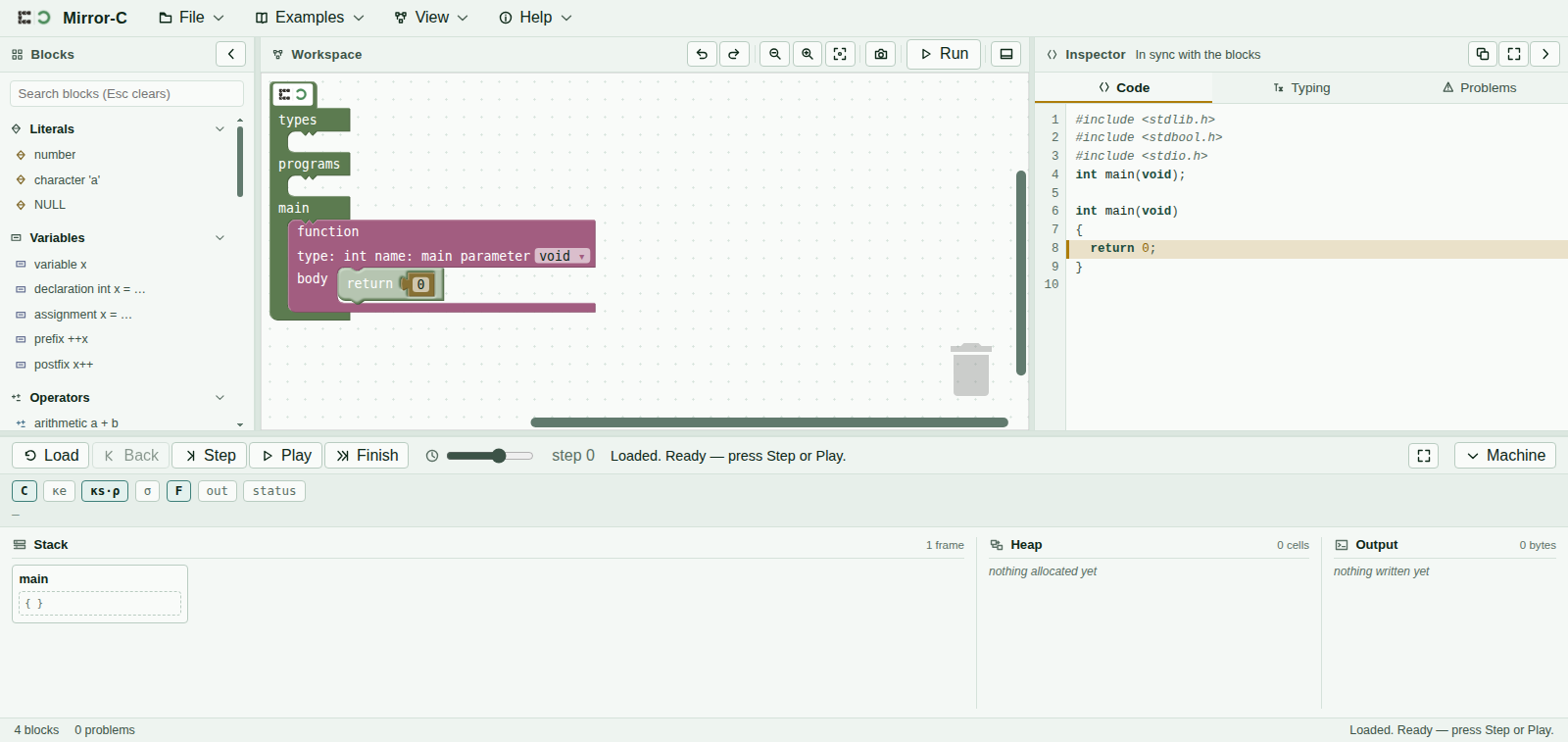
main with nothing else built yet.| Drawer | Blocks |
|---|---|
| Literals | number · character 'a' ·
NULL |
| Variables | variable x · declaration int x = …
· assignment x = … ·
prefix ++x · postfix x++ |
| Operators | arithmetic a + b ·
comparison a < b ·
logical a && b · not ! a |
| Arrays | array declaration int a[n] · a[n][m]
· element a[i] · a[i][j] ·
element assignment |
| Structs & enums | structure definition · union definition
· enumeration definition · field s.f
· field assignment ·
arrow field p->f · arrow assignment |
| Pointers | address of &x ·
dereference *p ·
store through *p = … ·
malloc( sizeof( T ) ) |
| Calls | call f(…) |
| Statements | expression statement …; ·
printf "…" … |
| Control | if / else · while ·
for · break · continue
· return |
| Memory | free p |
| Functions | function definition |
Two labelling choices are worth knowing about so a name doesn't slow you down. printf
lives in Statements rather than in a drawer of its own — it is one statement among
several, not a category the way malloc/free earn one. And a block's
label stays close to its own surface syntax (& x, * p,
a [ i ]) rather than a name, on the theory that you are scanning the
list for the shape of the C you want to write, not for a keyword you already know
— though not always literal C: a few labels spell a word out
(structure, enumeration, argument 0) where the raw
C keyword or a bare position number would read as noise in a block instead of code on a
line.
Two roots you can never drag
Every workspace has exactly one program root and exactly one main, and neither is
ever offered from the palette. They are not hidden by convention or by a rule you could
accidentally break — they simply do not exist as insertable block kinds, so there is no
gesture, drag, or search result that could produce a second one. The functions you define live
in the upper region of the workspace; main sits in its own region below, always
present, never deletable.
The more obvious design — let the block exist, cap it at one instance, and reject the
second attempt — was considered and turned down. Capping at one still permits the
zero-instance state (a workspace with no main at all) and leaves you to
notice and repair it. Never offering the block at all makes “the program has no
root” and “there are two roots” unreachable outright, rather than merely
unusual and caught later by a diagnostic.
Width is sizeof, drawn
A block's on-canvas width is not a styling choice — it is derived from its type's
sizeof, so a char cell is drawn a quarter of the width of an
int cell everywhere it appears: in a declaration, inside a struct, inside an array
element. Widening the box would be lying about the type, in exactly the sense that mislabelling a
value would be.
Each of the eleven drawers, and each of the twelve block families inside them, carries its own colour with a light and a dark fill so the palette reads correctly in either theme. That colour is resolved through the same table Blockly's own theme is built from, so the swatch you see in the sidebar is never able to drift from the colour the block actually paints on the canvas.
Sockets that refuse
Mirror-C's machine has no static semantics of its own — type-checking happens entirely at
the block editor, before anything reaches the machine. That makes a socket's willingness to
accept a block a real signal rather than a suggestion: a shape that will not connect is telling
you the two things do not type-check together, the same way gcc would refuse the
equivalent text. Building int *p = &c; for a char c is not possible
to assemble in the first place.
An empty socket is not filled with a guessed or default value. It is left visibly empty, and shows
up in the Code tab as □ — a
half-built program reads as a half-built program.
The right-click menu
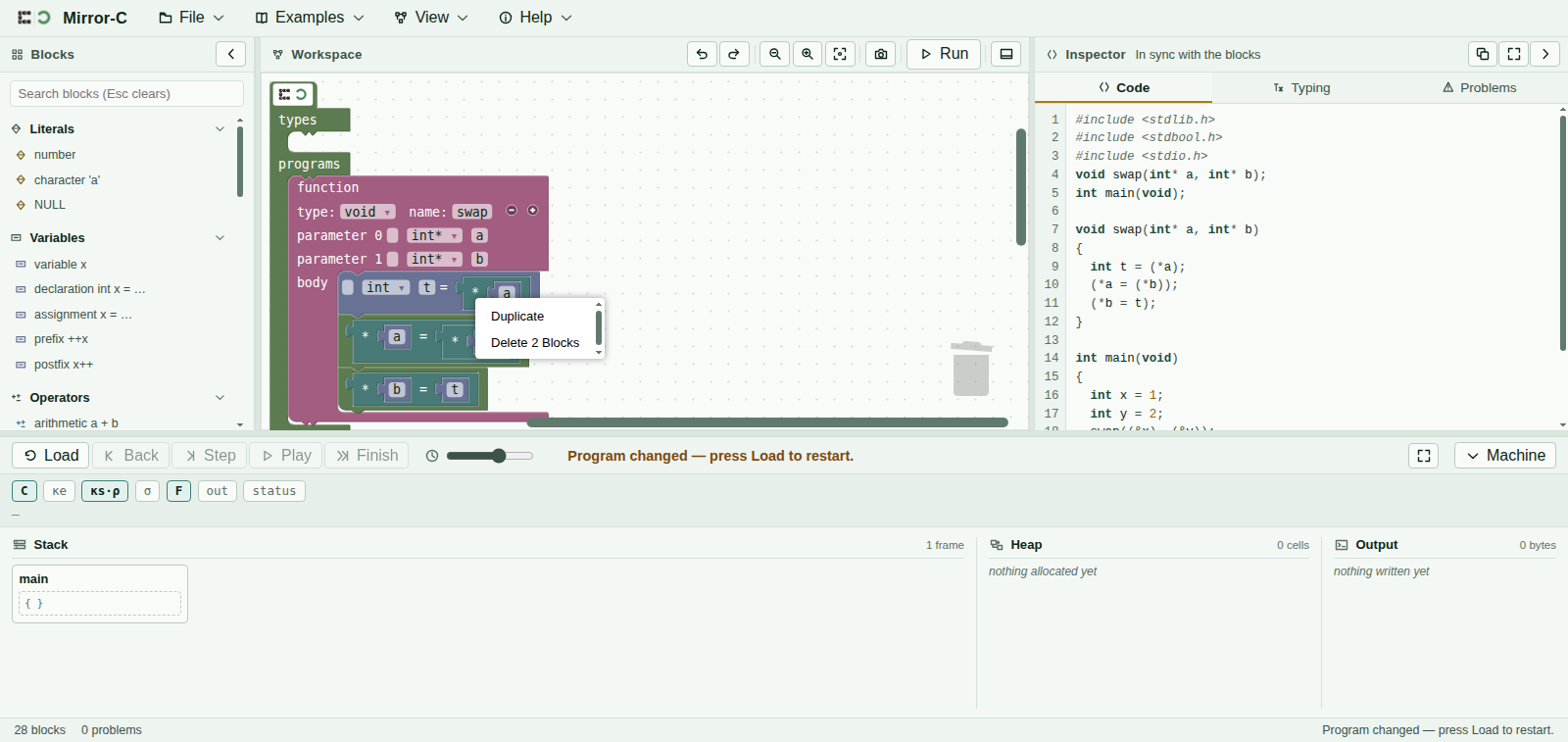
Right-clicking the workspace or a block opens a context menu with exactly five entries: Undo, Redo, Clean up blocks, Duplicate, and Delete. That is a deliberately short list rather than Blockly's full default set — the omitted defaults (collapse, disable, add comment) would let a block sit in the workspace looking inert while the machine still reads it when you press Load, which would make the picture lie about what actually runs. The list is an allow-list, not a trim of unwanted items: anything a future Blockly version adds to its own default menu ships switched off here until someone decides it belongs.
Duplicate and Delete never appear on the program root or on main — both are the
one block of their kind that must always exist, so the two entries that could remove or copy them
are absent rather than present-and-refused.