One grammar, two ways of looking at it
Most block editors ship one renderer and treat it as a fixed fact about the program. ViSML ships two, lets you switch between them at runtime, and treats the choice as exactly that — a choice, not a property of the code underneath it.
Macaca Nigra
The default renderer, and a subclass of Blockly's own Thrasos renderer. Its distinguishing feature is that connector and notch shapes — not just colours — are specific to grammatical category: expression and operator blocks get chevron-shaped notches, pattern blocks get rounded-pill shapes, declaration blocks get plain rectangular notches. In the app this is labelled “ViSML grammar notches.”
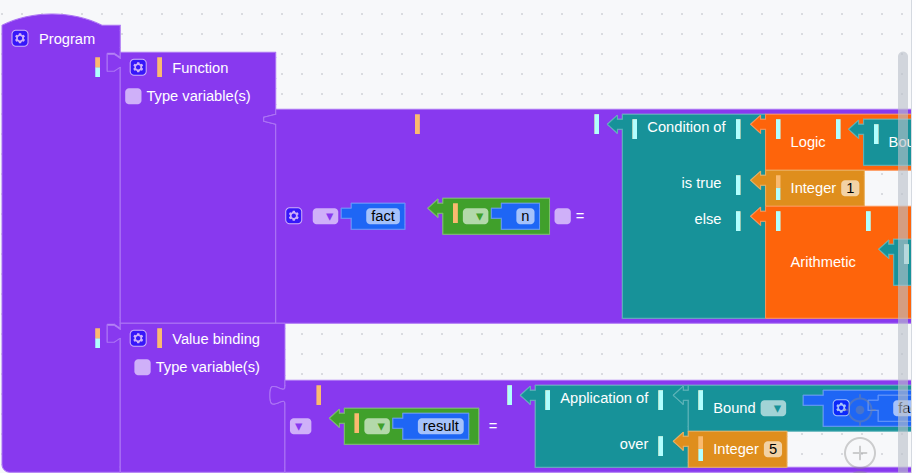
The practical payoff is the same one B-MJ's
BMJ-Thrasos renderer gives its own users: you can tell, from across the workspace, whether
the thing in your hand will fit a socket — a pattern-shaped plug does not read like an
expression-shaped one, even before you try to connect it. Blockly's own connection check
metadata still does the actual enforcing; the shape is what lets you predict the outcome instead
of discovering it by dragging.
Goropa
The second renderer, added in 2026, subclasses Blockly's base renderer rather than Thrasos. Goropa's goal is different from Macaca Nigra's: it is deliberately styled to look like text code. Fields are monospace, each block takes one value or dummy input per line — mirroring where the generator itself inserts a newline — and continuation lines are indented, standing in for the generator's own indentation. Rows are left-aligned rather than nested outward the way a jigsaw piece would be. In the app this is labelled “Text-code appearance.”
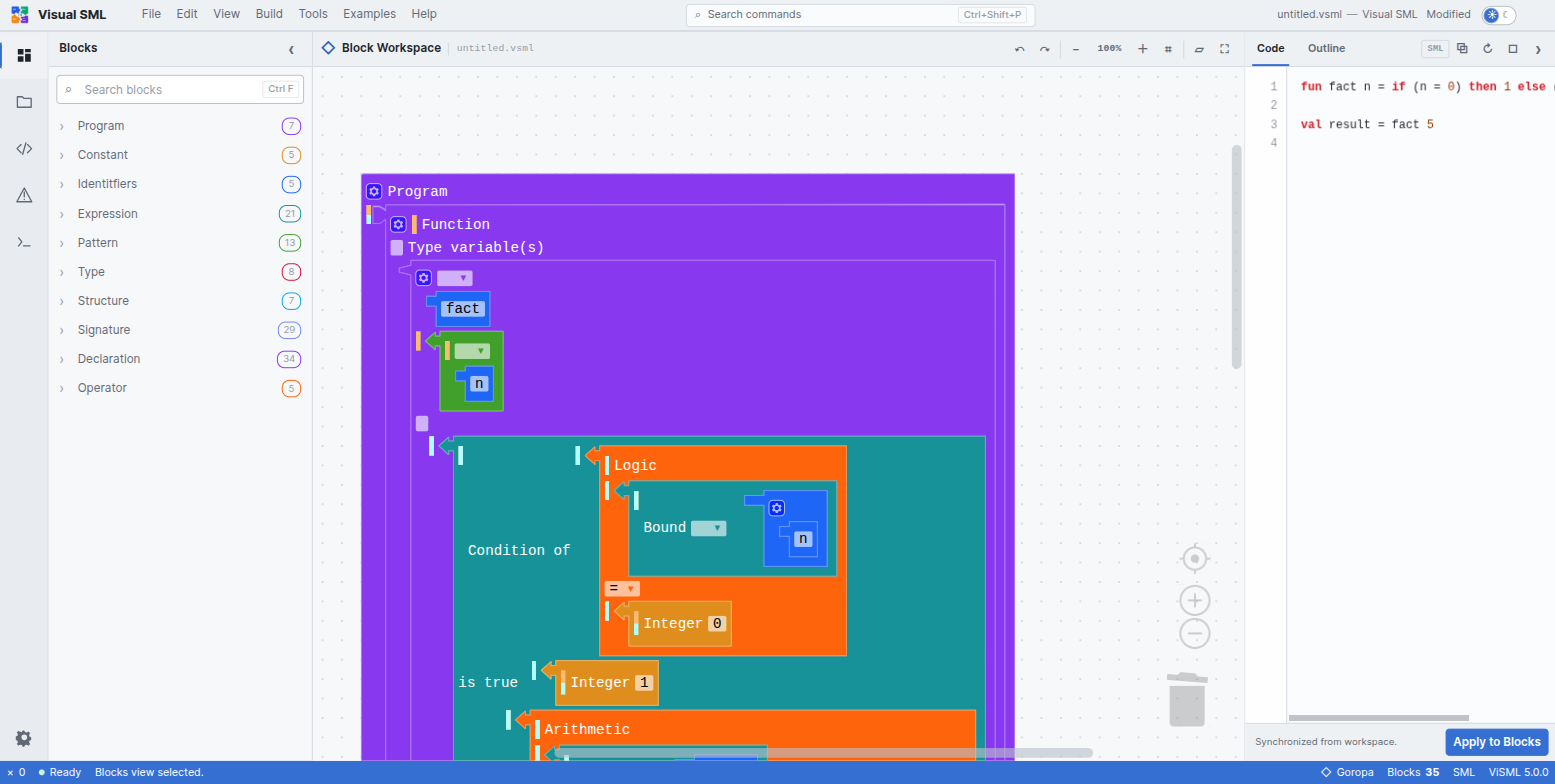
Goropa keeps Macaca Nigra's grammar-shaped notches on value connections even while it changes the overall layout — the two renderers disagree about geometry, not about which category a socket belongs to.
An earlier, experimental “tarsius” renderer remains in the project's history but is not registered anywhere in the running application — it is dead code, worth knowing about only so you do not go looking for it in the Settings panel.
Switching renderers
Change renderers from the Settings panel or the Tools menu. Both are one-click choices, but neither takes effect instantly: Blockly cannot hot-swap the renderer underneath a live workspace, so switching triggers a full page reload.
That reload is not disruptive to your work. Before reloading, ViSML stashes the chosen renderer and the current workspace JSON to local storage; on reload, it restores both, so the program you were looking at under Macaca Nigra reappears, unchanged, under Goropa. This was verified directly: switching mid-session preserves every block, and only how they are drawn changes.
The research grounding
ViSML is the reference implementation for a piece of research on preserving grammar structure in block-based editors, and the renderers above are its most visible outcome — but the underlying idea is worth explaining in its own right, because it is why the toolbox and the blocks look the way they do throughout this help.
The preservation problem. Most tools that generate a block editor from a grammar simplify that grammar first — merging or flattening productions to keep the toolbox small. The cost is information loss: two productions that both derive the same nonterminal, say a pattern and an expression that happen to look alike, get folded into one block, and from then on there is no way to tell which grammatical role a given piece of the program was actually playing.
T2BB. ViSML instead runs every SML production through a transformation framework called T2BB (Text-to-Block Builder), which classifies each one into a structural category and gives that category a matching visual treatment:
| Category | Visual treatment |
|---|---|
| Terminal | A plain literal or fixed keyword block — no special apparatus needed |
| Alias | A small coloured terminal label marking which grammatical role the block is playing — see Blocks |
| Mixed | The same labelling, applied where a nonterminal can be reached through more than one kind of production |
| Repetitive | The plus/minus mutator UI, covered in Blocks |
Applied across the whole language, this is what the project calls complete transformation coverage: all 42 of SML's non-terminals and all 132 of its production rules get a category and a treatment, with no leftover cases handled by a generic fallback block. The published results report full recovery of context-dependent grammatical distinctions and 100% round-trip fidelity — every one of those 132 productions survives a block → text → block cycle unchanged. The mechanics of that round trip are the subject of Code Generation.
The paper's term for how much of this grammatical information is explicitly visible in the notation — rather than silently discarded — is Grammar Awareness. The hover tooltips and the Type bubble from Types, the terminal labels from Blocks, and the two renderers on this page are four different surfaces for the same underlying commitment: nothing about a block's origin in the grammar should be invisible.